

A modern website has to do more than look current. It must load smoothly, guide visitors toward a clear next step, and perform well on phones, tablets, and desktops. The path to that result is easier to follow than many people assume. You can use a no-code website builder, write your own HTML, CSS, and JavaScript, or work with a professional developer. Each route shares the same objective, and the foundational steps look similar no matter which method you choose.
What Makes a Website Feel Modern?
Modern website design is a combination of elements that work together to create an effective and user-friendly experience. The building blocks include typography, layout, color theory, grid systems, motion graphics, and responsive designs. Those pieces determine how a visitor reads your message, moves through your pages, and decides whether to take action.
Typography controls readability. A clear type hierarchy helps visitors scan content quickly instead of guessing what matters. Layout and grid systems keep text, images, and buttons aligned so the page feels organized rather than chaotic. Color theory shapes mood and supports brand recognition, while motion graphics add subtle life to interactions. Responsive design makes sure the experience holds up on every screen size, which matters because visitors arrive from many different devices.
Website designers who do this well concentrate on two priorities: making the site visually appealing and making it easy to navigate. If a page is beautiful but confusing, visitors leave. If it is functional but dated, it fails to build trust. The goal is balancing aesthetics with usability, and returning to that balance at every stage of the build.

Choose the Right Way to Build
The best method depends on your goals, your timeline, and the level of control you want. Three approaches cover most situations.
Use a Website Builder or No-Code Platform
A website builder is often the quickest route to a live site. Canva's website builder, for example, lets you create free professional websites on your own domain in minutes. The platform is built around customizable templates, making it simple to launch a one-page website without writing code. It also supports adding interactivity without a developer.
This approach works well when you need to move fast, such as launching a landing page for an upcoming campaign or standing up a simple business presence. Because templates do most of the visual work, you can focus on your own copy, images, and call to action. The tradeoff is less flexibility than a fully custom build, so consider how much you plan to grow before committing to a template-based site.
Write Custom Code
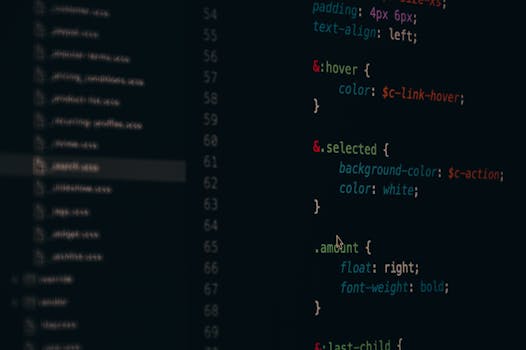
The foundational web languages are HTML, CSS, and JavaScript. These are the same technologies taught in web programming classes, and learning them gives you a genuine understanding of how websites work. HTML provides the structure of a page. CSS controls presentation, including colors, spacing, and layout. JavaScript adds behavior, such as menus, forms, and dynamic content.
Coding a site by hand offers maximum control. There are no template limits, and you can tune every detail for performance, branding, and user experience. The cost is time. A custom-coded site takes longer to build and requires ongoing care, especially as browsers and devices evolve. For a small business, this is often where a professional web developer adds value.
Use a Traditional Server Setup
Older tutorials often describe a server-based approach: install a web server such as Apache or IIS, choose a programming language like PHP, and build your pages on top of that foundation. This method still exists and remains relevant for sites that need server-side processing, such as dynamic content, logins, or database-driven pages.
The traditional route involves more moving parts. You manage the server environment, the programming language, and the front end. That complexity can be justified for large web applications, but for a typical business website it is more than most teams need. Many modern teams now pair front-end code with managed platforms, which removes the burden of running their own servers.
Follow the Core Principles of Modern Website Building
A few principles separate a strong website from a weak one. A clear framework for modern web development should prioritize the user experience, provide options for visitors, and guarantee operability, robustness, understandability, and reliability.
- Prioritize the user experience. Every decision, from button placement to page speed, should make the site easier for a visitor to use. If the experience takes effort to understand, people will leave.
- Provide options. Visitors arrive with different goals, devices, and levels of patience. Give them multiple paths to the information they want and make sure key actions are never hidden.
- Guarantee operability, robustness, and understandability. A modern site must work as intended, survive unexpected conditions, and communicate clearly. Confusing navigation and fragile pages erode trust quickly.
These principles apply no matter which technology you choose. They matter for a one-page template site and for a fully custom build alike.
Start With a Simple Plan
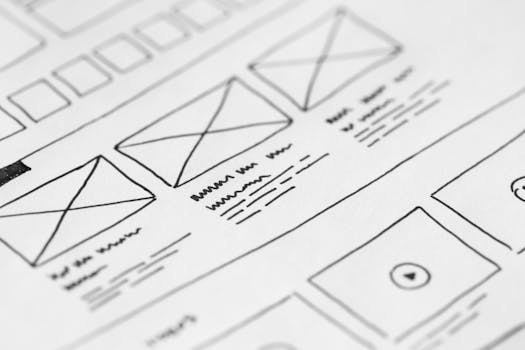
The actual process starts before any design or code is written. When you set out to create a website from scratch, the early steps are straightforward. Define your website's purpose first. Know whether the site exists to sell a product, capture leads, answer questions, or build authority. That purpose will guide every page you create.
Next, choose a platform that matches your purpose and skill level. That could be a no-code builder, a custom-coded site, or a managed service. Registering your domain comes after that, giving you a home for the site that visitors can rely on. Once those decisions are made, the building work has a clear direction and you can measure your progress against the goals you defined at the start.
A modern website also needs to respect visitor time. Fast-loading pages, clear calls to action, and a design that works well on mobile devices are not optional extras. They are the baseline expectations people bring with them. When performance slips, trust slips with it. When the path to conversion is clear, visitors respond accordingly.
Frequently Asked Questions
Here are answers to common questions about building a modern website.
Do I need to learn to code to build a modern website?
No. Modern website builders allow you to create professional sites without writing code. Canva's website builder, for instance, offers customizable templates and lets you launch a one-page site on your own domain in minutes. If you want full control over the design or functionality, learning HTML, CSS, and JavaScript is still a practical path, but it is no longer a requirement for getting online.
What is the difference between HTML, CSS, and JavaScript?
HTML gives your page structure, including the content and its hierarchy. CSS controls presentation, such as colors, typography, and layout. JavaScript handles behavior, including dropdown menus, form validation, and interactive elements. Together, the three languages form the starting point for most custom web development and are still the first subjects taught in web programming classes.
What is responsive design and why does it matter?
Responsive design is an approach where a website adapts its layout to the screen viewing it. Desktop, tablet, and phone visitors all see a version of the site that fits their device. This matters because people browse in many contexts, and a site that only works on a desktop monitor will frustrate mobile visitors. Responsive design is one of the core elements of a modern website.
What should I do before building a website?
Begin by defining your website's purpose. Decide what you want visitors to do, whether that is making a purchase, booking a service, or reading your content. Once the purpose is clear, choose a platform that fits your budget and skill level. Registering your domain comes next, followed by building the pages that move visitors toward the outcome you planned for from the beginning.